GTA 6 Bank Account: How to Get One (BuckMe, ATMs and Deposits)
You get a bank account in Buck Me, a Chapter 1 story mission. Lucia calls, you meet her at the Fleeca bank in Key Lento, get turned down for credit, and sign up for the BuckMe phone app instead. After that, deposit cash at any ATM. Pocket cash is lost when you're Wasted or Busted.
Jump to a section
| Unlocks in | Buck Me, a Chapter 1 story mission |
|---|---|
| Where | Fleeca bank, Key Lento; the account lives in the BuckMe app |
| Welcome bonus | $100 in your Checking Account |
| Depositing cash | At ATMs; BuckMe > ATM Finder marks the nearest one |
| Pocket cash limit | $20,000 per character |
| Checking limit | $15,000 at first; rises as the main story goes on |
| Cash purchases | Up to $1,000; anything bigger is paid through BuckMe |
| Wasted or Busted | All pocket cash lost, plus a small BuckMe fee |
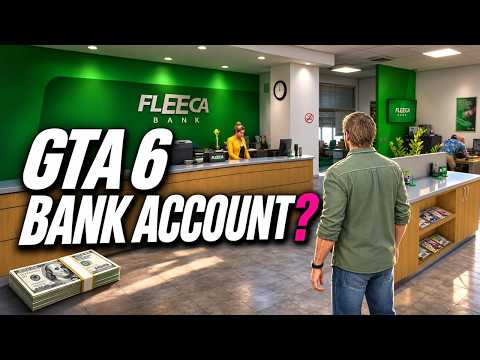
GTA 6 doesn’t hand you a bank account at the start. For the first few hours every dollar Jason earns sits in his pocket, where a death or an arrest can wipe it out. This guide covers when banking unlocks, how the BuckMe app works and how to keep your money safe. Where only one guide reports something, we name it.
When the bank account unlocks
The account comes from Buck Me, a main story mission in Chapter 1. GameRant, GameRiv, VGC and eGamers all place it in the first chapter, after Lucia is back with Jason. GameRiv and eGamers put it about half an in-game day after the mission Coming Home, when Lucia phones Jason and asks him to meet her at the bank.
Mission numbering differs between guides (GTABase lists Buck Me as mission 15, VGC as its twelfth), because several missions can be played in any order once both characters are free. Look for Lucia’s call rather than a mission number.
How to open your BuckMe account
- Answer Lucia’s call and drive to the Fleeca bank in Key Lento.
- Talk to the teller, who sends you to the bank manager. Follow him into his office; Lucia joins you.
- Pick your answer when the manager asks about savings. You can say Jason has nothing, or admit he has cash saved at his house. GameRant reports that telling Lucia about the saved cash improves their relationship.
- Get turned down. The credit check fails, and the manager points Jason and Lucia to BuckMe, a banking app.
- Finish the tutorial at Jason’s house. The game walks you through the phone and the BuckMe app. GameRiv and eGamers both report a $100 welcome bonus in your Checking Account, which the tutorial has you move into Family Savings with the Buck Yourself button.
Two short follow-ups appear next. Deposit Cash Into BuckMe asks you to bank some pocket cash at any ATM (GTABase), and eGamers reports a long-running objective called Save for the Future that stays open for the rest of the story.
Before the bank: Jason’s floorboard stash
Until Buck Me, there’s one safe place for cash: the loose floorboards in Jason’s bedroom. Sportskeeda, GameRiv and Cultured Vultures all describe it. Look for the interaction prompt on the floor, open the hidden compartment and leave your money there. GameRiv notes you also find photographs about Jason’s past in it. GamesFuze warns that later story events can affect the stash, so don’t treat it as permanent storage.
Can you get the stash back after Chapter 1? (mild spoiler)
Late in Chapter 1 the story takes the Key Lento house away from you, and the cash under the floorboards seems to go with it. DPJ’s video shows it doesn’t. DPJ drove back from the Chapter 2 area, crept past the police still watching the house, and found the floorboard compartment intact, with a “rainy day fund” of about $5,000 inside. That roughly matched what DPJ had stashed, but the video doesn’t settle whether the game always returns the exact amount or rounds it. The police are still around, so go in crouched and come in from the back.
If you left a big stash behind at the end of Chapter 1, it’s worth the drive.
How to deposit and withdraw cash at an ATM
- Open your phone (GamesRadar: Up on the D-pad) and launch the BuckMe app.
- Pick ATM Finder. It’s at the bottom of the app, and GTABase calls the option “ATM Finder – Set Destination”. It sets a waypoint to the nearest machine. GTABase says there’s one right next to Jason’s house.
- Use the ATM. GamesRadar gives the prompt as Triangle (PS5) / Y (Xbox).
- Choose Deposit or Withdraw. The ATM also shows your recent transactions.
GamesRadar adds a second way to find machines: open the in-game Index and go to the Personal section, which lists every cash deposit location. Cash has to go in at a machine; the app doesn’t take physical money.
Pocket cash, Checking and Family Savings
| Pocket cash | BuckMe Checking | BuckMe Family Savings | |
|---|---|---|---|
| What it is | Physical money on you | Your spending account in the app | Locked savings pot |
| Who holds it | Each character | Each character has one (GamesRadar) | Shared by Jason and Lucia |
| Limit | $20,000 | $15,000 at first, rising with the story | Rises in five steps |
| Spend it on | Purchases up to $1,000 | Anything, and everything over $1,000 | Nothing, ever |
| Wasted or Busted | All lost | Small maintenance fee | Never lost |
GamesRadar says pocket cash is accepted for purchases up to $1,000, and BuckMe handles anything above that. eGamers reports the same split. GTABase adds that if you have no cash on you, a purchase is simply charged to BuckMe.
Family Savings has its own guide: should you pay into the Family Savings account?
Limits you’ll run into
Pocket cash: $20,000
Jason and Lucia can each carry up to $20,000 in pocket cash (GamesRadar, GTAExp). One ATM deposit or withdrawal tops out at the same amount, and a withdrawal can’t push you over the cap.
Checking account: $15,000 at first
GameRant and GTAExp put the starting checking limit at $15,000. Rockstar Support confirms the limits rise as the main story goes on, and that story progress is the way to unlock upgrades. GamesRadar says the upgrade notices arrive in the app in Chapters 2, 3 and 4. Hitting a Family Savings target doesn’t skip the story requirement (GTAExp).
When your checking account is full
Incoming payments don’t bounce, but they don’t arrive either. They sit as pending. Rockstar Support says pending payments go through once the account is upgraded. You can also clear them sooner by making room: spend from Checking, withdraw cash at an ATM or move money into Family Savings (GamesRadar, GameRiv, eGamers). A payment needs room for its full amount; it isn’t paid in part (GTAExp). Check your balance before a big payday.
What you lose when Wasted or Busted
- Pocket cash: all of it. GameRant, GamesRadar, GameRiv and Game8 all agree.
- Checking: a small cut. GTABase and Game8 call it a BuckMe maintenance fee, GameRiv a “smaller” loss, and eGamers says part of your checking balance goes. No guide has published the exact amount.
- Weapons and stash bags: GTABase says you also lose weapons you don’t own and, most likely, any stash bags you’re carrying.
- Family Savings: nothing. It can never be lost.
GamesRadar adds that an aggressive civilian can take pocket cash off you if a confrontation gets out of hand.
Interest, fees and upgrades
- Fees: besides the Wasted and Busted charge, GamesRadar says upgraded accounts come with lower fees. No guide lists fee amounts.
- Interest: no guide reports interest on checking. Interest is a Family Savings feature, paid when the savings limit goes up.
- Upgrades: they’re tied to the main story, not purchases (Rockstar Support). GameRant and GamesRadar both say you’ll get an in-app notice when one is available.
Other ways money reaches you
Check Jason’s mailbox at his house regularly. Sportskeeda says payments from early jobs turn up there, and Screen Rant reported the same. For ways to earn, see our make money fast guide.
Videos worth watching

GTA 6 Buck Me (Set Up Bank Account) Walkthrough by FP Good Game

GTA 6 - Can You Get Your LOST MONEY BACK From Your FIRST HOUSE? by DPJ
FAQ
When do you get a bank account in GTA 6?
In Chapter 1, during the story mission Buck Me. It opens after Lucia is back with Jason: she calls and asks him to meet her at the Fleeca bank in Key Lento. The bank turns them down, and they sign up for the BuckMe app instead.
How do you deposit money in GTA 6?
Walk up to any ATM and choose Deposit. To find one, open the BuckMe app on your phone and pick ATM Finder, which sets a waypoint to the nearest machine. GamesRadar says the ATM prompt is Triangle on PS5 and Y on Xbox.
How much cash can you carry in GTA 6?
Up to $20,000 in pocket cash for each character, so Jason and Lucia can hold $20,000 apiece. An ATM withdrawal can't take you over that cap. Anything above it belongs in BuckMe.
Is money in the bank safe if you die in GTA 6?
It's far safer than pocket cash, which you lose in full. GTABase and Game8 say you also pay a small BuckMe maintenance fee when you're Wasted or Busted; no guide has published the exact amount. Money in Family Savings can never be lost.
Where can you hide money before you have a bank account?
Under the loose floorboards in Jason's bedroom at his house in Key Lento. Three launch guides point to this stash, which you can use until Buck Me unlocks the app.
Can you get your money back from the first house in GTA 6?
DPJ's video shows it can be done. After the story takes Jason's Key Lento house away late in Chapter 1, DPJ sneaked back in past the police and found a 'rainy day fund' of about $5,000 under the bedroom floorboards.
Sources
Checked on Nov 22, 2026. We cross-check each fact against at least two sources where possible. Read how we verify.
- How to Get a Bank Account in GTA 6 (GameRant)
- GTA 6 money management and BuckMe Bank explained (GamesRadar+)
- How to use GTA 6 ATMs (GamesRadar+)
- GTA 6: How to Store Money Safely Before Unlocking a Bank Account (GameRiv)
- GTA 6 Buck Me Mission Walkthrough (VGC)
- Deposit Cash Into BuckMe (GTABase)
- GTA 6 BuckMe Guide: How Family Savings, Checking Limits and Perks Work (eGamers)
- GTA 6 walkthrough: How to complete Gear Up (Pick Up Another Gun) (Sportskeeda)
- GTA 6: Easiest Ways to Earn Money (Screen Rant)
- GTA 6: How To Open A Bank Account (Cultured Vultures)
- Death Penalty: What Happens When You Die? (Wasted) (Game8)
- GTA 6 - Can You Get Your LOST MONEY BACK From Your FIRST HOUSE? (DPJ (YouTube))
- Cannot put any more money in my BuckMe account in Grand Theft Auto VI (Rockstar Support)
- How to Make Money in GTA 6: Full Money Making Guide (GTABase)
- GTA 6 BuckMe Guide: Banking, Savings & Payment Limits (GTAExp)
- GTA 6: How to Avoid Losing Money When You Die (GamesFuze)